Changelog #5: Public Index, Signals, and Sequences — Completing the Roundtrip on Automated Data Procurement
Alt-data's listed universe is now public and available on Brickroad. The Public Index maps the majority of suppliers listing on the most popular data directories, like Neudata, Eagle Alpha, Datarade, AWS Data Exchange, and Snowflake Marketplace. Signals ships with a daily feed of frontier sources tied to trading and trending news. Our Access Agents now pull samples from open paths. Outbox Sequences and Templates allow you to run prospecting and outreach automatically. Ground your data licenses against real usage. And first-time suppliers can now get license-ready with a checklist we built to spec with real buyers.
Last changelog, we shipped the other half of the sourcing marathon: Sources as the system of record, Agent Outboxes for approval-gated first touch, and a public API so discovery could live in your workflow. Users can now go from thesis, discovery and sample acquisition without leaving Brickroad.
That closed the loop for what your agents find. It left the rest of the pipeline unfinished.
You still could not see the listed universe next to the frontier — so when an agent surfaced a name, you could not tell whether it was already in Neudata or genuinely new. An open-path supplier still meant a vendor trial. Follow-ups after first touch still depended on someone remembering to nudge. Renewals still happened without usage. And the other side of the market — a company sitting on a feed that has never been sold — had no path onto the network.
Today those holes close:
- Public Index — the listed universe, contactable, sitting next to your private discoveries
- Signals — a daily feed of frontier sources tied to the news that makes them matter now
- Live sample retrieval — an open path, a Retrieve, a file on your Samples desk
- Outbox Sequences — first contact, then the follow-ups, on a cadence you set
- Vendor Management, with optional Utility Analysis — every license in one book, renewals grounded in usage
- Supplier onboarding — a checklist that gets a first-time seller license-ready
Public Index: the listed universe, on Brickroad
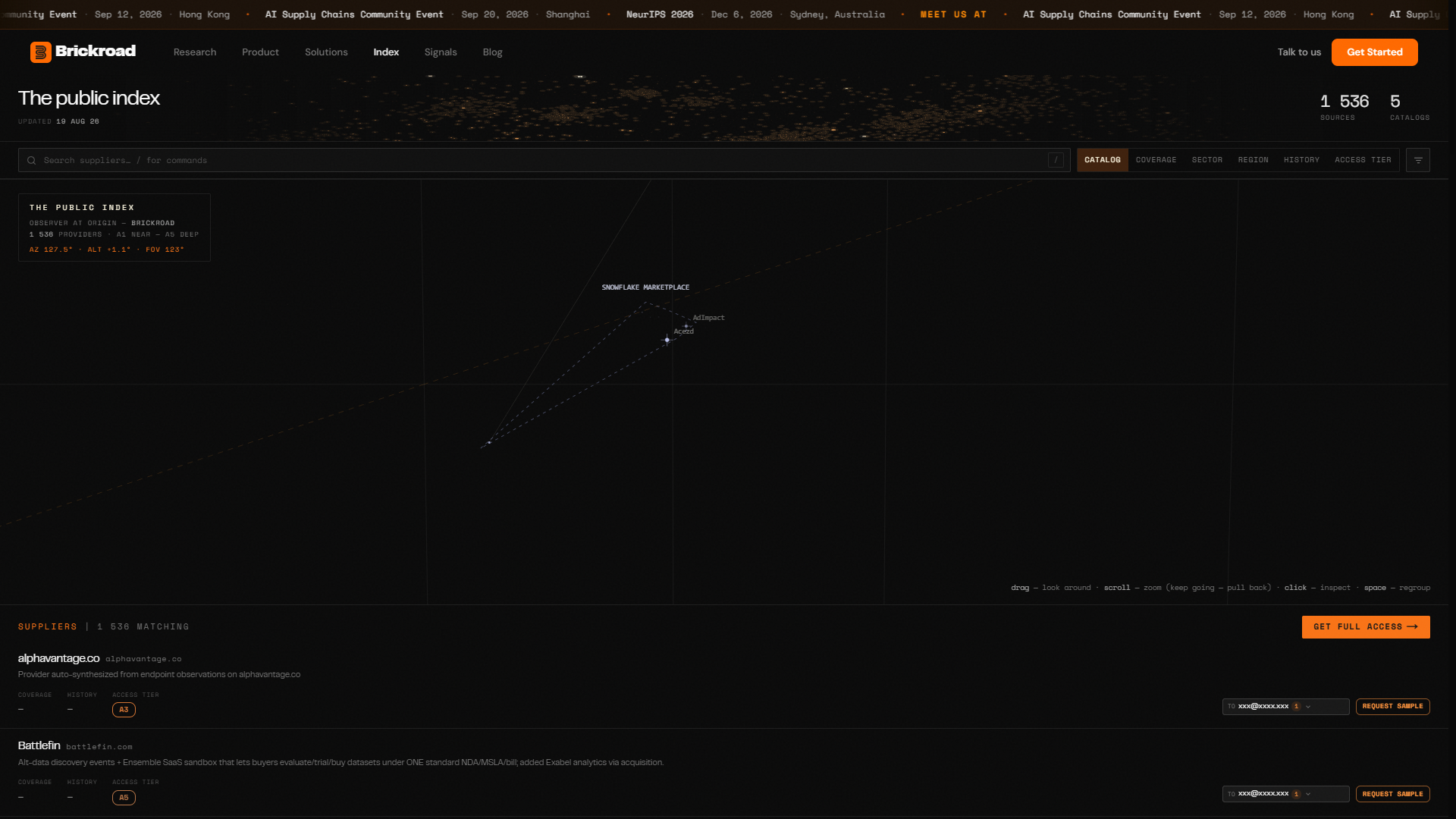
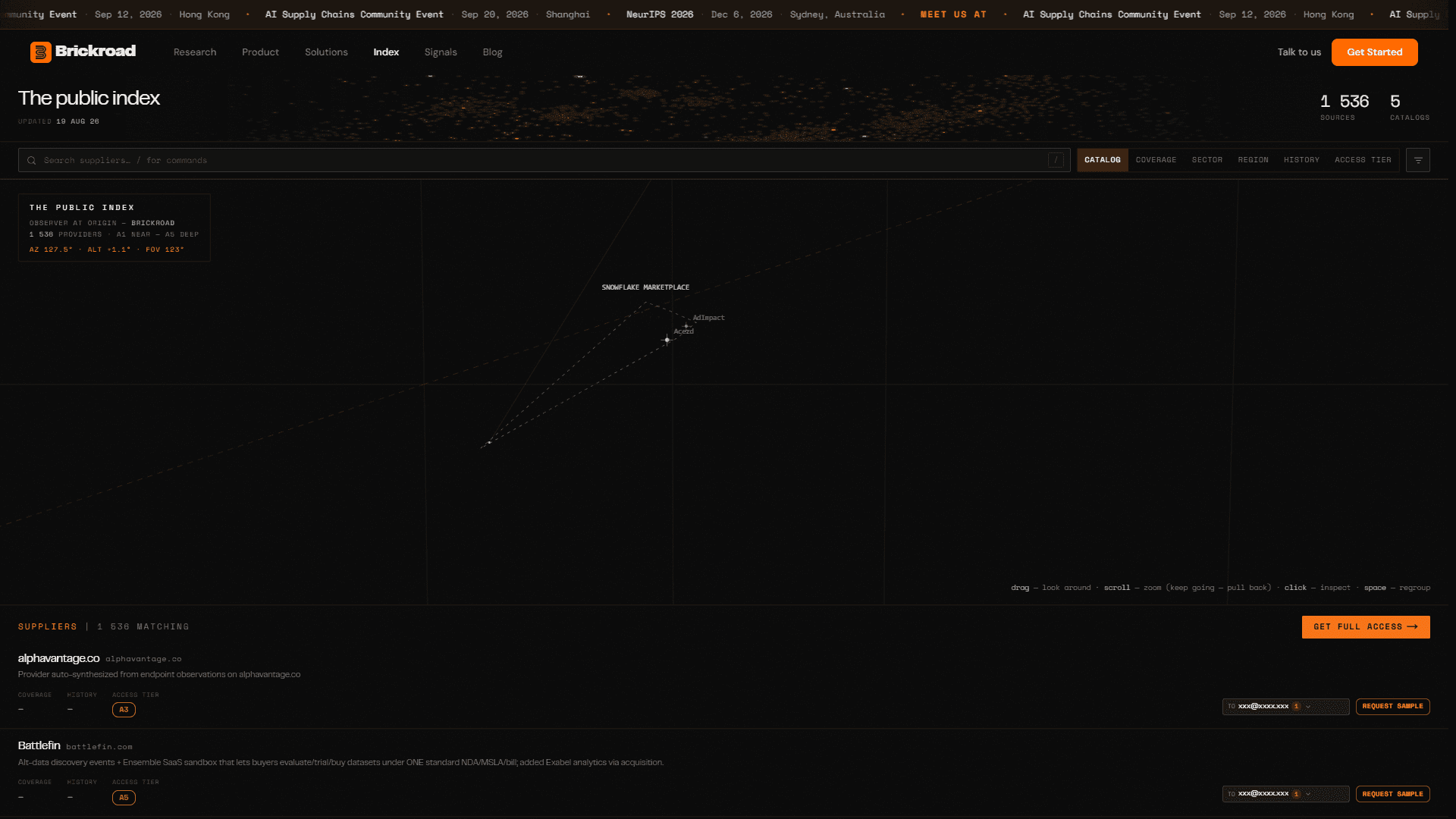
The Public Index is a chart of the public licensable-data universe mapped across Neudata, Eagle Alpha, Datarade, AWS Data Exchange, and Snowflake Marketplace. You can review a majority of the names that show up in those directories, open a company page, and request a sample — straight from Brickroad.
Directories were always the floor. Useful, lagging, and until now somewhere else. Your agent would surface a supplier, and someone on the desk would alt-tab into Neudata to check whether the name was already shopped. That check is now a simple filter.
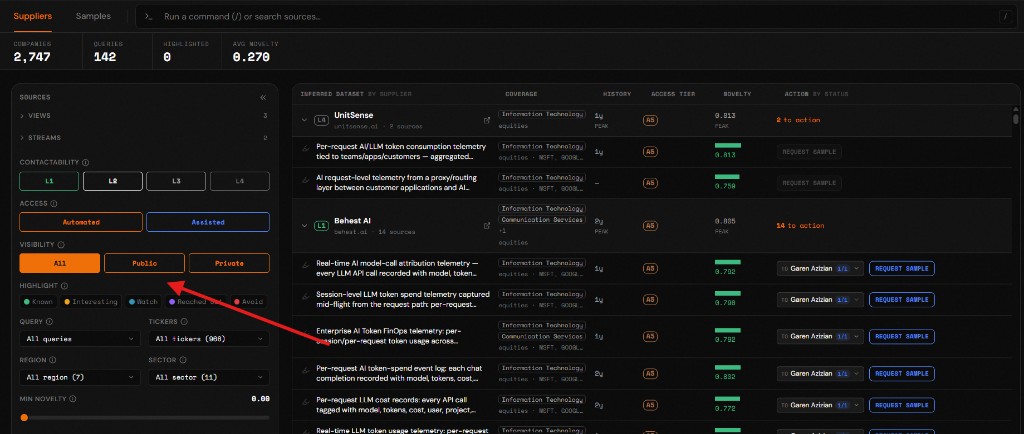
The same rows land in your Sources tab under the Public visibility filter. Private stays what your own agent discovered. Public is what the multiplexer has already mapped and shares with everyone. All shows both. When a new supplier arrives from a query or a Stream, you can see immediately whether they are already listed elsewhere or genuinely new.
What you can do in it:
- Browse the index as a chart or a table, filter by catalog, access tier, and coverage, and open a company page for the products underneath
- Request a sample from any listed supplier — signed-in, it goes to your Outbox; signed-out, it takes you through welcome and back
- Switch Sources to Public and work the listed universe with the same Mesh, Grid, and Subnet tools you already use on frontier finds
Once you are ready, we can also help you integrate your current catalog — dedupe it against what we have mapped, and enhance the rows so you have a cleaner view of what is already available versus what is actually new. Reach out and we will do that work with you.
Signals: frontier sources, timed to the news
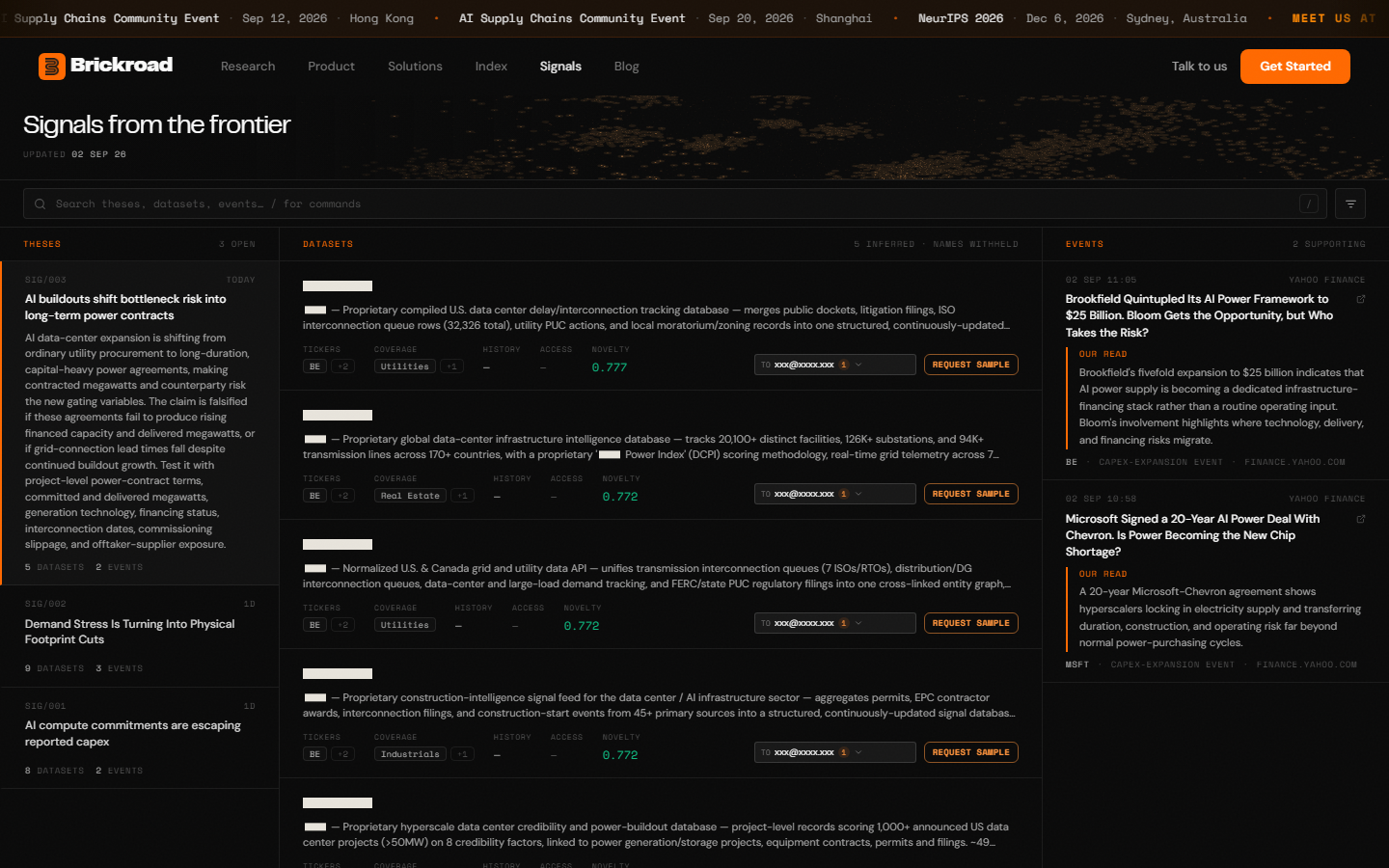
Signals is a daily feed of data sources that are relevant to trending news events. Each signal is a thesis — a claim you can falsify — plus the datasets that would let you test it, plus the headlines that make it matter today.
Source Streams watch a thesis you wrote. Signals start from the other end: the news moves, and we attach the sources that would let you trade or train against it. The sources themselves are often unlisted. Guest readers see the argument and the withheld names; signed-in readers see the suppliers, the contacts, and a path to request a sample.
Like the Public Index, Signal sources land in your Sources tab under Public. A name that showed up because Brookfield quintupled an AI power framework is the same row you will see next to an IFA find and a directory listing. One catalog. Three ways in.
What you get:
- A public desk at /signals — theses, datasets, and the supporting events, updated as we publish
- The same rows in Sources, under Public, so a Signal find is not a one-off article; it is inventory
- A daily email of the latest signal, so the feed reaches you even if you do not open the desk
Live sample retrieval: the open path, fetched
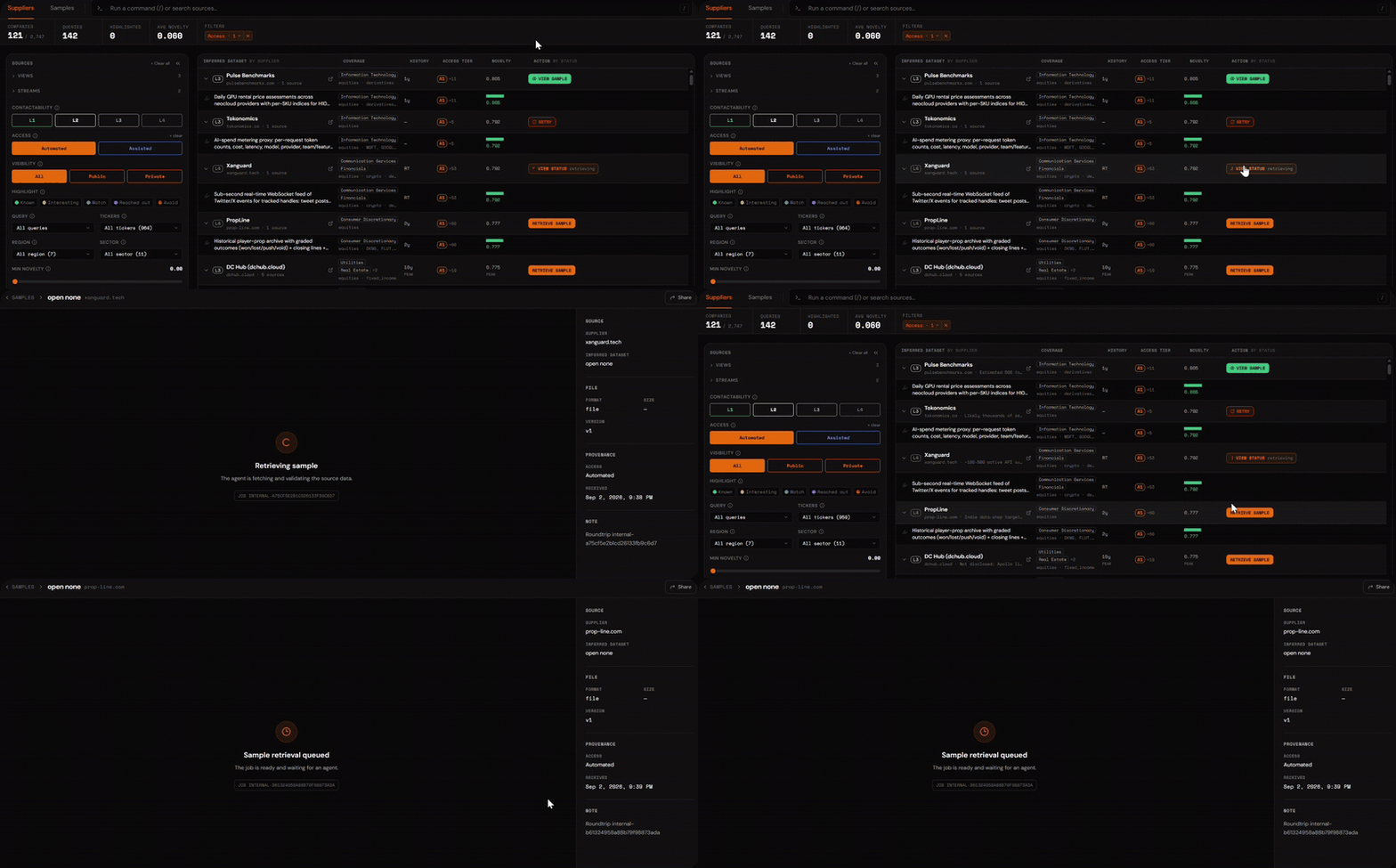
Finding a supplier and holding a sample are different problems. For an open path they should not feel like different products.
Access is the fork on every Sources row:
- Automated — an open path. Press Retrieve sample. An agent fetches the file. No email, no vendor trial, no wait on someone else's inbox. The sample lands on your Samples desk. The pill stays durable for the whole org: Retrieving, then View sample, with a glance at the rows while you stay on the grid.
- Assisted — outreach required. Press Request sample. That is the Outbox path from Changelog #4, and the Sequences path below.
July's promise was "new API endpoints for faster data connectivity." This is that promise, on the row. In the reference deployment we published in August, 86 of 116 open endpoints returned a verified live sample — at least three real records and an exact echo of the fetched URL — at a median of 38 seconds. The vendor route to the same first sample is an email inquiry and a trial the directories peg at months.
Outbox Sequences: first touch was not the job
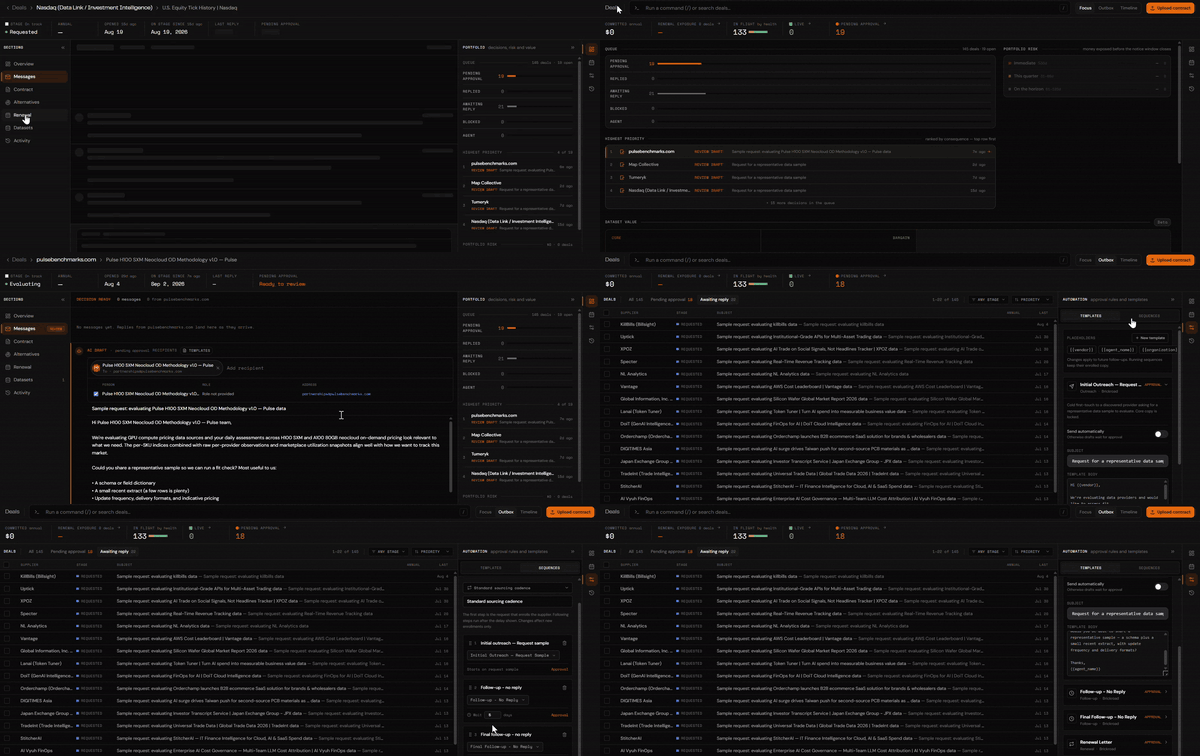
Changelog #4 gave your agent a mailbox. Request a sample, approve the draft, the supplier hears from a sourcing agent instead of your letterhead. That solved first touch.
It did not solve the next two weeks. Most sample requests die in the silence after the first email. Someone meant to follow up. Nobody did. The thread went cold in a personal inbox, and the desk moved on.
Outbox Sequences are the cadence after first touch. A sequence is a named, ordered set of steps: send template X, wait Y days, if there is no reply send follow-up Z. The default is the one every sourcing desk already runs by hand:
| When | Step | Gate |
|---|---|---|
| Day 0 | Initial outreach — request sample | Approval |
| +5d | Follow-up — no reply | Approval |
| +10d | Final follow-up — no reply | Approval |
You can add steps, swap templates, change the waits, and flip any step from approve-first to auto-send. Approval is the default. Auto-send is opt-in, per step. A supplier reply stops the remaining steps — the conversation moves to the thread, not the cadence.
What changed in the Outbox:
- The agent now runs the sequence, not just the first draft. Approve day 0, and the follow-ups appear when they are due — as drafts, unless you opted a step into auto-send
- Templates are org-wide. First contact, no-reply follow-up, final note. Edit them once; every deal uses them
- A thread can carry more than one recipient. To plus Cc, from the contacts on the source, so the first touch is not a single-inbox bet
Vendor Management, and optional Utility Analysis
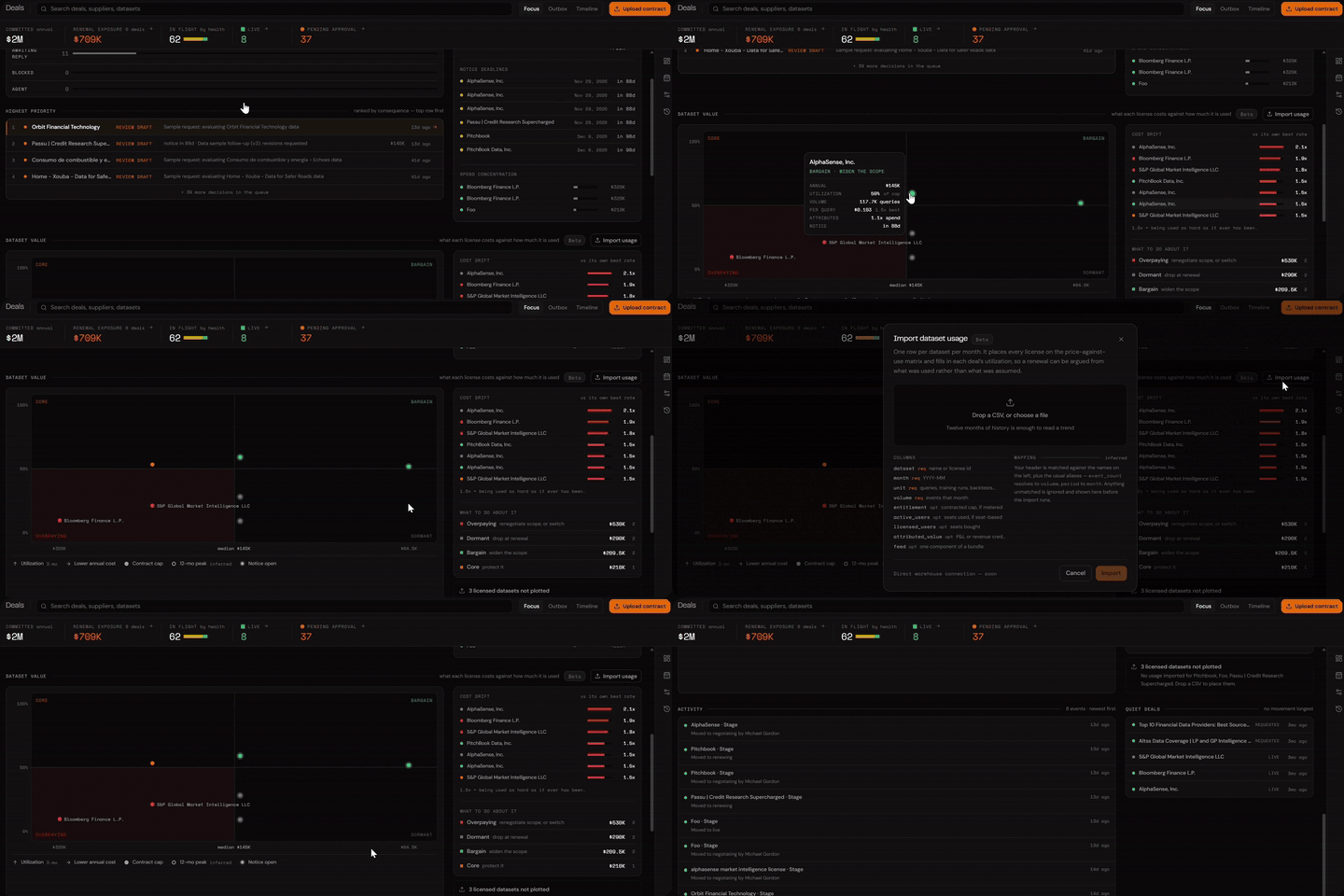
After extensive Beta testing, we're now making our CLM and vendor management tooling available for all paid customers. We have also added optional usage and utilization monitoring for select enterprise customers. The Vendor Management Agent is the control plane for every data deal, from discovery, sample, evaluation, negotiation, use, and renewal — we've got you covered.
An all-in-one vendor management agent:
- Lifecycle — every deal in parallel, as a list, a board, or a timeline
- Licenses — AI ingestion of the paper: parties, terms, value, and key dates, under human review
- Outbox — the same agent mailbox, now pointed at sourcing and renewal chases
Utility Analysis. As a purpose-built data CLM, we go above and beyond the contract book. Track seat utilization, API usage, queries, training runs, decay, and any other measurement you already keep — straight from the Vendor Management dashboard. Underutilizing your licensed data? Catching data drift? Trigger automatic termination notices or renewals straight from your dashboard.
For Utility Analysis, Request Access.
Supplier onboarding: a checklist for the other side of the market
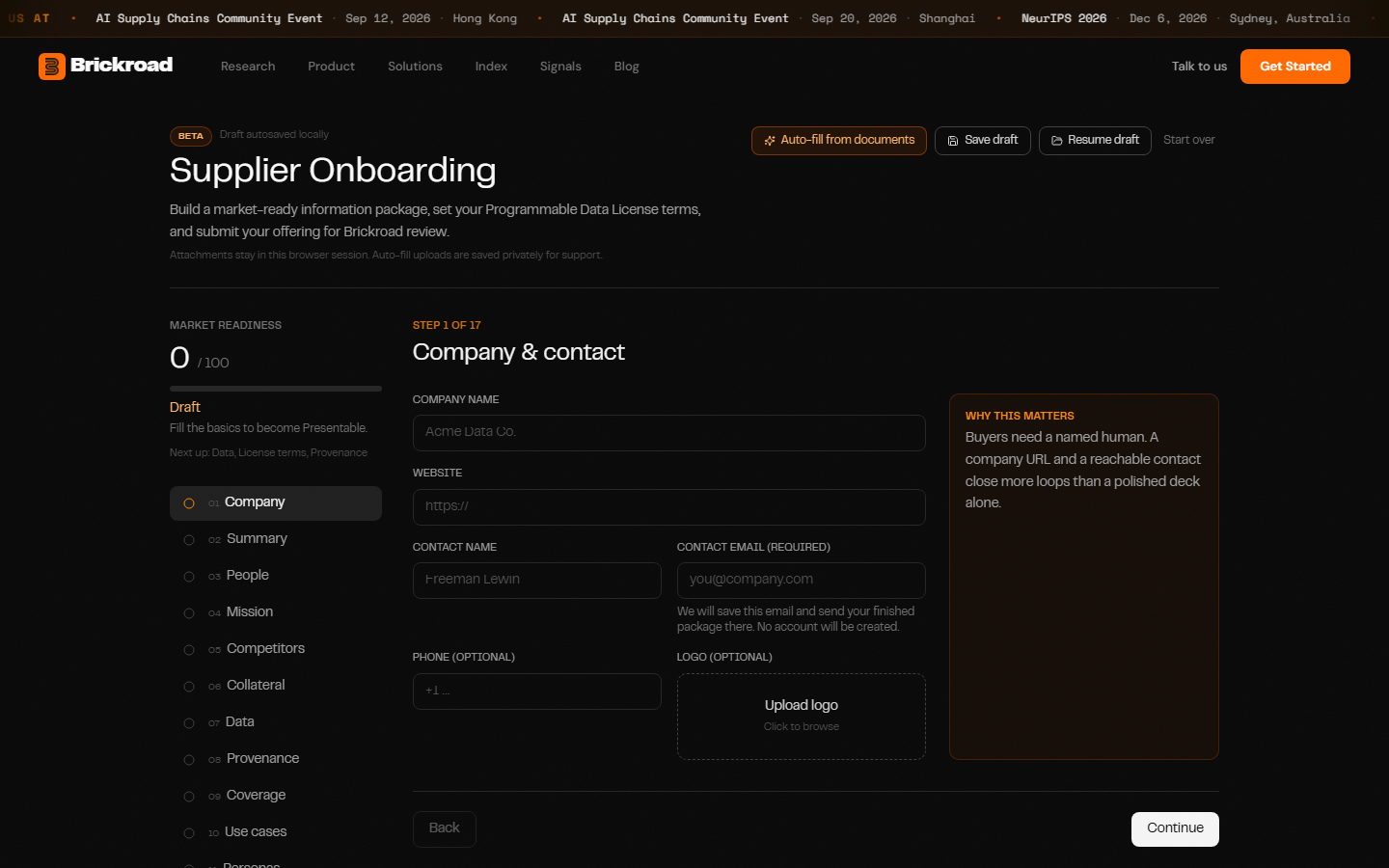
/suppliers is the public path for a company that is sitting on a feed and has never sold it. The conversion is not a listing form. It is an information package — a checklist we built so a first-time seller can get license-ready without hiring a sales team, and so a buyer can diligence the offering without a discovery call.
The checklist is the work buyers already ask for, written down:
- Company and a named human — buyers need a reachable contact more than a polished deck
- What the data is, and a sample — a snapshot buyers can diligence without a call
- Provenance and integrity — what one record represents, which timestamps it carries, whether history is rewritten
- Coverage — GICS, exchanges, sample tickers, so the offering is findable
- License terms — approximate the Programmable Data License, or upload the paper you already use
- Submit for review — Brickroad reviews the source and sample before anything enters the Registry. You get a ZIP of the package
Readiness scores as you go: Draft, Presentable, Market Ready. Market Ready means a buyer can evaluate you without scheduling a call. That is the point of the checklist. Suppliers connect once; proceeds route back to them.
If you already work with suppliers who should be on this path — or you are one — start at /suppliers. If you would rather talk first, grab time.
Where this leaves the sourcing pipeline
| Stage | Tool | Status |
|---|---|---|
| Discover | Information Frontier Agent + Source Streams + Signals | Live |
| Catalog | Sources, Public Index, Public / Private visibility | Live |
| Sample | Retrieve on open paths · Request sample on gated paths | Live |
| Contact | Agent Outboxes + Sequences | Live |
| Manage | Vendor Management Agent + optional Utility Analysis | Private beta / opt-in |
| Supply | Supplier checklist and information package | Live |
| Integrate | Public API | Shipped in #4 |
Get started
- Open the Public Index — or switch Sources to Public and work the same rows in the catalog you already have
- Read today's Signals — then find those sources under Public in Sources
- Retrieve a sample from any Automated row on Sources, or request a sample from a Public or Signal row. If sequences are on for your org, the follow-ups will be waiting in the Outbox when they are due
- Ask to join the VMA beta, and turn on Utility Analysis if you want usage on the book — book time
- Send a supplier to /suppliers — or start the checklist yourself
What's next
Agentic Integration with Payment gated APIs; Efficient Data Routing so the right data reaches you at the right time, at the right price.
Frequently asked questions
What is the Public Index? A public chart of the licensable-data universe Brickroad has mapped — currently the majority of providers listed on Neudata, Eagle Alpha, Datarade, AWS Data Exchange, and Snowflake Marketplace. You can inspect a company, see which catalogs they appear in, and request a sample. The same rows appear in Sources under the Public filter.
How is the Public Index different from Sources? Sources is your organization's system of record. The Public Index is the listed floor of that catalog, published for anyone to browse. Private Sources are what your own agent discovered. Public Sources are the mapped, shared universe.
What is Signals? A daily feed of frontier data sources tied to trending news. Each signal is a thesis, the datasets that would test it, and the headlines that make it current. Sources from Signals also land in Sources under Public. A daily email carries the latest signal.
Are Signal sources vetted? They are discovery results — dated, and often unlisted. Treat them as leads with evidence, not as a curated marketplace. Request a sample and diligence as you would any other frontier find.
What is an Outbox Sequence? An automated follow-up cadence on top of the Agent Outbox. Day 0 is the sample request. Later steps fire after a delay if the supplier has not replied. Each step has a template and a gate (approval by default, auto-send if you opt in). A reply stops the sequence.
Do sequences send email automatically? Only if you flip a step to auto-send. Nothing in the default sequence leaves without you.
What is Vendor Management? What is Utility Analysis? The Vendor Management Agent helps organizations make sense of their data agreements and the status of the underlying data. Utility Analysis is optional: import how you already measure use, and each license gets utilization, cost per unit, and a renew-or-switch argument. Request access to turn it on.
What is the supplier checklist? The information package at /suppliers / supplier onboarding. Company, sample, provenance, coverage, license terms, review. It scores Draft → Presentable → Market Ready.
Can you ingest our existing vendor catalog? Yes. Reach out and we will help you integrate, dedupe, and enhance it against the mapped universe so Sources shows what you already have next to what is new.
How do I get started? Open the Public Index or Signals. Signed-in users will also see those rows under Sources → Public. New users can sign up at brickroad.network.
The shorter version
July put everything after discovery on the platform. This release puts the listed universe on it too — and the sample, the cadence, and the renewal.
The majority of providers from the major directories live at /public-index and in Sources under Public — so a new find is visibly new, or visibly not. Signals attaches frontier sources to the news that makes them matter, and drops those rows into the same catalog. Retrieve pulls a live sample from an open path onto your Samples desk. Outbox Sequences run the follow-ups after first touch, still approval-gated unless you say otherwise. Vendor Management holds the book; optional Utility Analysis grounds the renew-or-switch in usage. And /suppliers is a checklist that gets a first-time seller to Market Ready.
As always, thank you for building with us. Brick by Brick.